
CATEGORY REFERENCE

qqdewi App for Android and iOS

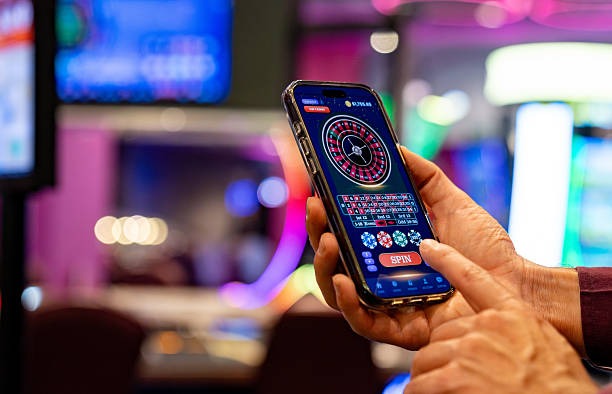
The qqdewi app puts our full lobby on your phone — slots, live dealer tables and sportsbook markets behind one icon. Download the Android APK or grab the...

Android APKiOS Build30MB InstallPush AlertsBiometric Login
qqdewi qqdewi App for Android and iOS
qqdewi What Our App Adds to Your Phone

What Our App Adds to Your Phone

Beyond a shortcut to the website, our app rebuilds the lobby for one-thumb use. Quick deposit shortcuts hit DANA, OVO, GoPay and QRIS in two taps, fingerprint and Face ID skip the password screen, and a persistent betslip floats over slot pages so you can lock a market without losing your spin. Push notifications surface live table openings and your sportsbook cash-out

windows the moment they appear.

AT A GLANCE

App Features Built for Phones

Six things the qqdewi app handles better than a browser tab.

01
Biometric Login Fingerprint and Face ID unlock your account in under a second. We store the key on-device, never on our servers, so your sign-in stays personal to the phone in your hand.
02
Push Alerts Opt in and we ping you when a live table opens a seat, a slot feature round triggers, or your sportsbook selection shifts price. Mute categories you don't follow inside settings.
03
Dark Mode The app reads your system theme and flips the lobby to deep navy after sunset. Slot art and live video stay vivid while the chrome around them stops burning your eyes during late sessions.
04
Quick Deposit A floating chip row remembers your last DANA, OVO, GoPay or QRIS amount and reloads it in two taps. No card forms, no re-typing, balance back in the lobby fast.
05
Offline Preview Browse cached slot tiles, recent bet history and your favourites list even when the signal drops on the train. The app reconnects and syncs the moment data returns.
06
One-Tap Switch Jump from a Pragmatic slot to a live baccarat table to your sportsbook coupon using the bottom tab bar. Sessions stay open in the background so nothing reloads.
qqdewi Install in Three Steps

Install in Three Steps

Getting the qqdewi app on your phone takes about a minute. Android users grab the APK directly from us — we don't list on third-party stores — and iOS users follow the profile install path. Once it's down, sign in with your existing account or open a new one inside the app.

  • Download the APK
  • Allow Unknown Sources
  • Open and Sign In

Device Compatibility Check

Make sure your phone meets these specs before installing.

Auto-refresh hourly
qqdewi Android Version

Android Version

92%

Android 7.0 Nougat or newer. The app is tuned for Android 10 and above where biometric...

qqdewi iOS Version

iOS Version

97%

iOS 13 and later, covering iPhone 6s through the latest models. iPad support runs in compatibility...

qqdewi RAM

RAM

96%

Minimum 2GB RAM for smooth slot animation and live video streams. 3GB or more recommended if...

qqdewi Storage

Storage

95%

30MB for the install, around 120MB after slot art and live thumbnails cache. Clear cache from...

qqdewi Supported Regions

Supported Regions

94%

Indonesia and other supported regions where local law permits. The app geo-checks at launch and routes...

RTP percentages are informational reference values from provider documentation. Actual session outcomes vary.

ON THE GO

A Tour of the App Screens

The home screen drops you straight into a live lobby preview with running tables and trending slots already loaded. Swipe to your sportsbook coupon, your account dashboard, or the favourites...

Live lobby preview
Quick bet slip
Account dashboard
Slot favourites
Sportsbook coupon
Deposit shortcut
qqdewi mobile gaming
Google Play App Store
PLAYER SUPPORT

Help for App Users

In-App Chat Tap the headset icon in any screen corner...
Email Desk Email support@qqdewi handles install issues, account recovery and...
Install Walkthrough Stuck on the APK step? Our install help...
WHY THIS PLATFORM

Why the App Is Safe to Install

Code Signing

Every APK we ship is signed with our developer certificate. Android verifies the signature before install, so a tampered file refuses to open on your device.

Direct Download Only

We host the app on our own domain. No third-party mirrors, no Telegram links, no shady APK aggregators. If it didn't come from qqdewi.bet, it isn't ours.

Account Recovery

Lose your phone? Sign in on another device and our recovery flow re-binds biometrics. Email verification and security questions protect the handoff from anyone else.

Encrypted Sessions

All traffic between the app and our servers runs over TLS 1.3. Deposit confirmations, betslip submissions and live chat messages stay encrypted end to end.

No Ad SDKs

The app contains zero third-party advertising or tracking SDKs. Your session data stays between you and qqdewi — we don't sell it to networks.

Update Channel

In-app updates push silently when we ship new providers or fix bugs. You'll see a small badge on the menu icon — tap, restart, done.

App vs Mobile Browser

Login Speed
App: biometric unlock in under a second. Browser: type your password every session, or trust the browser's autofill which can break after cache clears or device updates.
Notifications
App: push alerts for live odds, table seats and feature rounds. Browser: nothing arrives unless the tab is open and the site is foregrounded on your phone.
Deposit Flow
App: saved DANA, OVO, GoPay and QRIS shortcuts reload in two taps. Browser: you re-enter the wallet picker each time and chase the redirect back to the lobby.
Live Streams
App: native video player tuned for Indonesia mobile networks. Browser: HTML5 fallback that buffers more often and drains battery faster on long live dealer sessions.
Offline Mode
App: cached lobby tiles and bet history viewable without signal. Browser: a connection error page and nothing else when the data drops out on transit.
Storage Footprint
App: 30MB install plus cache you control. Browser: cookies and site data accumulate quietly, and a cache clear logs you out of everything else too.

Six App Highlights Worth Knowing

What our phone build does particularly well.

One-Thumb Layout

Primary buttons sit in the lower third of the screen. Slot launches, betslip confirms and deposit triggers all reach without stretching across larger phones.

Provider Filters

Filter the slot lobby by Pragmatic Play, PG Soft, Habanero or Spadegaming with a single chip tap. The selection persists between sessions until you clear it.

Live Bet Tracker

A persistent bar shows your active sportsbook selections and live cash-out values. Tap to expand, swipe to settle, no leaving your current screen.

Favourites Sync

Pin slots and tables on mobile and they appear at the top of your desktop lobby too. The favourites list rides with your account, not the device.

Data-Saver Mode

Toggle data saver to swap live video for static thumbnails and lighter slot art. Useful on Indonesia mobile plans where every megabyte counts.

Localised Build

Indonesian language toggle, rupiah formatting throughout, and DANA, OVO, GoPay, QRIS as first-class deposit options — not buried under generic wallet menus.

App Questions We Hear Often

Yes. The Android APK and iOS build are both free. We never charge for the app itself — your account funds only move when you deposit through DANA, OVO, GoPay or QRIS inside it.

Google's policy restricts real-money gaming apps in many regions. We distribute the signed APK directly from qqdewi.bet so Indonesia users get the genuine build without third-party mirrors or repackaged copies floating around.

Android 7.0 Nougat is the floor. Anything newer runs smoothly. On 2GB RAM devices we recommend enabling data-saver mode to keep slot animations and live video streams from stuttering during peak hours.

Updates push silently in the background when you're on Wi-Fi. A small badge appears on the menu icon when a restart is needed. Tap it, the app relaunches, and you're on the latest build.

Yes. Face ID and Touch ID both work. The first sign-in uses your password, then iOS prompts you to enable biometrics. The key stays in the secure enclave on your iPhone, never on our servers.

Slow Indonesia mobile data sometimes interrupts the 30MB transfer. Switch to Wi-Fi, clear your browser's download queue, and tap the link again. Contact in-app chat if the file still won't complete after two tries.

One account, every surface. Sign in on the app and your balance, betslip, favourites and deposit history mirror what you see on desktop. Switch devices mid-session without losing your place in the lobby.